
Cloning a Template
Cloning has three moves: find a template, preflight it so you know what it needs, then clone and poll until it’s done.
Step 1 — Find a template
Section titled “Step 1 — Find a template”Dashboard
Section titled “Dashboard”- Go to dashboard.butterbase.ai and open Templates.
- Search by name, or sort by Recent / Popular (popularity is the clone count).
- Each card shows the app name, its owner, and its region. The card’s only action is Clone — the dashboard has no template detail view, so use
GET /v1/templates/{app_id}(orfind_templates) if you want the table and function inventory before committing.
butterbase templatesbutterbase templates --q blog --sort popular --limit 20butterbase templates --region us-west-2 --jsonmanage_app action: "find_templates" q: "blog" sort: "popular" # "recent" (default) or "popular" limit: 10 offset: 0Returns { items: [...], total, limit, offset }.
GET /v1/templates?q=blog&sort=popular&limit=20&offset=0GET /v1/templates/{app_id}Discovery is anonymous — no credentials needed to browse. The detail endpoint returns the template’s table and function inventory, with platform-internal tables filtered out.
Step 2 — Preflight
Section titled “Step 2 — Preflight”Before you clone, ask the template what it will need from you. This costs nothing and requires no auth for public apps.
GET /v1/templates/{source_app_id}/clone-preflightmanage_app action: "preview_clone_env_vars" source_app_id: "<app_id>"{ "functions": [ { "fn_name": "send-invite", "keys": ["BUTTERBASE_API_URL", "BUTTERBASE_API_KEY", "RESEND_API_KEY"], "key_meta": [ { "key": "BUTTERBASE_API_URL", "status": "auto_filled", "reason": "Platform-resolved at clone time." }, { "key": "BUTTERBASE_API_KEY", "status": "auto_filled", "reason": "Auto-minted bb_sk_* scoped to the new app." }, { "key": "RESEND_API_KEY", "status": "user_required" } ] } ], "durable_objects": { "env_keys": ["OPENAI_API_KEY"], "key_meta": [ … ] }, "app_env": { "keys": ["FEATURE_FLAGS"], "note": "These app-level env vars are copied to the clone." }}Only key names are ever returned. Values never leave the source app.
status | What it means for you |
|---|---|
auto_filled | Butterbase supplies it. BUTTERBASE_API_URL and BUTTERBASE_APP_ID are resolved to your new app; BUTTERBASE_API_KEY is minted as a fresh bb_sk_* scoped to your clone; a meetings webhook secret is minted and wired in if the source had one. |
user_required | A third-party secret you must provide — at clone time via env_var_values, or afterwards. |
durable_objects.env_keys are never carried across, convention keys aside. Plan to re-set them after the clone with manage_durable_objects action: "set_env".
Step 3 — Clone
Section titled “Step 3 — Clone”Dashboard
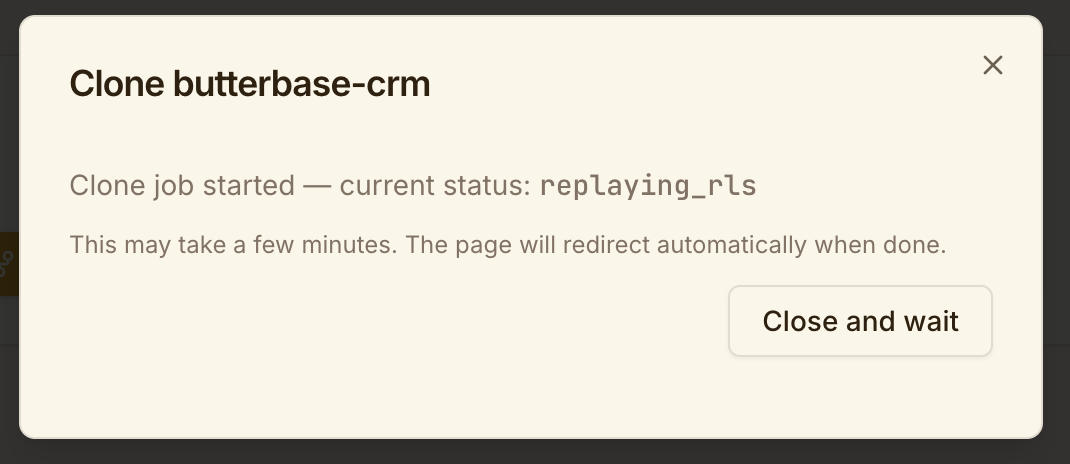
Section titled “Dashboard”Click Clone on the template. The modal asks for a name, runs the preflight, and shows an env-vars step where you can fill in each user_required key before starting. Progress is shown live; you land on the new app’s overview when it completes.
butterbase clone <source_app_id> ./my-clone --name "My App" --region us-west-2This creates the app, pulls the source’s latest repo snapshot into ./my-clone/, and rewrites .butterbase/config.json with the new app id. Both --name and --region are optional; omit the region and the clone inherits the source’s.
manage_app action: "clone" source_app_id: "<app_id>" name: "My App" region: "us-west-2" env_var_values: { "send-invite": { "RESEND_API_KEY": "re_..." } } auto_mint_api_key: [ { "fn_name": "send-invite", "key": "BUTTERBASE_API_KEY" } ]Returns { job_id, status, pending_env_vars }. pending_env_vars is the per-function map of keys still needing values — an empty object means you’re fully configured.
POST /v1/templates/{source_app_id}/cloneAuthorization: Bearer {token}
{ "name": "My App", "region": "us-west-2", "organization_id": "<org-uuid>", "env_var_values": { "send-invite": { "RESEND_API_KEY": "re_..." } }, "auto_mint_api_key": [ { "fn_name": "send-invite", "key": "BUTTERBASE_API_KEY" } ]}| Field | Notes |
|---|---|
name | Optional. Globally unique across Butterbase — a collision returns 409. Omit it and you get Clone of {source}. |
dest_region | Optional (region is accepted as a legacy alias). Defaults to the source’s region. If the region you ask for is temporarily closed to new apps, the clone is redirected to an open one rather than failing. See Regions. |
organization_id | Optional. Must be an org you belong to. Defaults to the org bound to your credentials, then your personal org. |
env_var_values | { fn_name: { KEY: "value" } }. Values are stored encrypted against the new app. |
auto_mint_api_key | [{ fn_name, key }] — mint a scoped bb_sk_* for that key instead of supplying one. |
Step 4 — Poll the job
Section titled “Step 4 — Poll the job”GET /v1/clone-jobs/{job_id}manage_app action: "get_clone_job", job_id: "<job_id>"{ "job_id": "…", "status": "replaying_functions", "source_app_id": "app_src", "dest_app_id": null, "retry_count": 0, "error_message": null, "warnings": [], "unfilled_env_vars": { "send-invite": ["RESEND_API_KEY"] }, "created_at": "…", "completed_at": null}status walks through pending → processing → replaying_schema → replaying_rls → replaying_durable_objects → replaying_functions → replaying_config → copying_repo → seeding_data → completed.
dest_app_id is populated once the app exists. Only the requester can read their own job.
If it fails:
POST /v1/clone-jobs/{job_id}/retryRead error_message first — a retry re-runs the same pipeline, so a genuine configuration problem will fail the same way twice.
Step 5 — Read the warnings
Section titled “Step 5 — Read the warnings”A completed job can still carry warnings[]. These are soft failures the pipeline worked around rather than aborted on. Common ones:
- The source’s
auth_hook_functionpointed at a function that couldn’t be replayed — the binding is leftNULL. - A config value referenced a secret that belongs to the source owner and wasn’t copied.
- A meetings webhook secret was minted — the warning contains the
wsec_*once, so capture it.
The dashboard does not show warnings. Its clone flow drops you on the new app’s overview with no warnings panel, even with ?cloneJob= in the URL — so a dashboard-only clone can silently lose a one-time secret. Read them over the API or MCP instead:
manage_app action: "get_clone_job", job_id: "<job_id>"GET /v1/clone-jobs/{job_id}Do this after every dashboard clone, not just failed ones.
Errors
Section titled “Errors”| Code | HTTP | Meaning | Fix |
|---|---|---|---|
RESOURCE_NOT_FOUND | 404 | Source doesn’t exist or isn’t public | Check the app id; ask the owner to make it public |
VALIDATION_INVALID_SCHEMA | 400 | Source has no repo snapshot | The owner must run butterbase repo push at least once |
VALIDATION_INVALID_SCHEMA | 409 | App name already taken | Pick a different name |
CLONE_LIMIT_INFLIGHT | 429 | 3 clones already in progress | Wait for one to finish |
| rate limited | 429 | More than 5 clones started this hour | Wait |
| project limit | 403 | Destination org is at its app quota | Delete an app or upgrade — see Plans & Usage |
Your clone is running but it isn’t finished. Work through Configuring Your Clone.