Available Templates
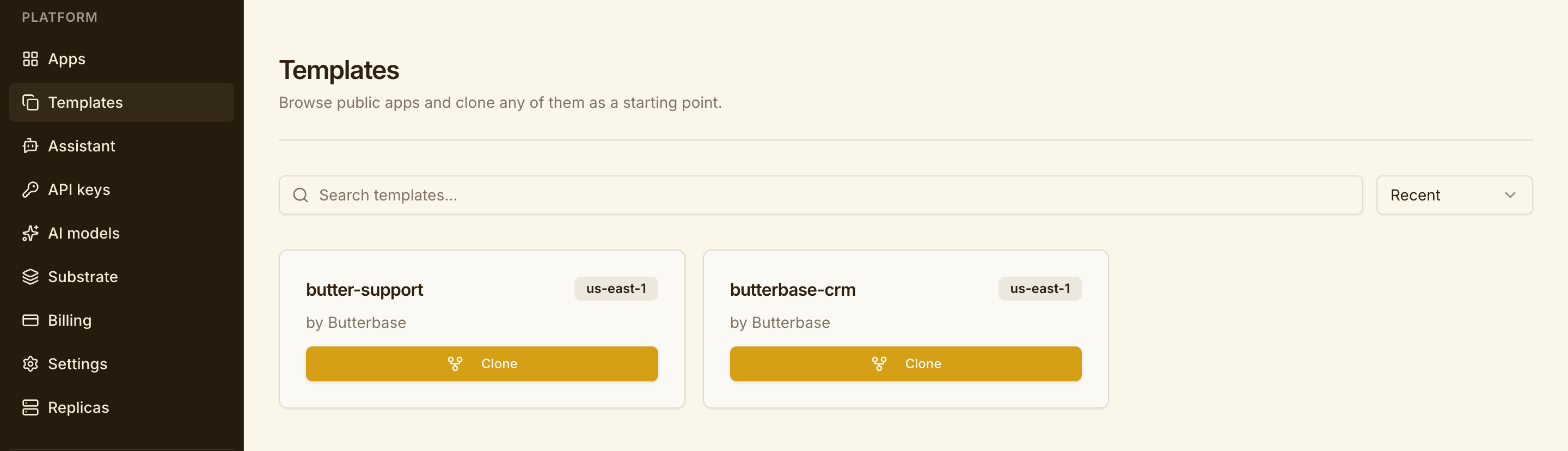
Two first-party templates are published and listed today. Both are complete, production-shaped applications, not demos: they’re the apps Butterbase itself uses.
The catalog
Section titled “The catalog”| Template | What it is | Functions | Clones | Region | Setup effort |
|---|---|---|---|---|---|
| Butterbase CRM | A full AI-native CRM — contacts, companies, deals, Gmail/Calendar sync, meeting notetaker, campaigns, social publishing, lead search | 56 | 33 | us-east-1 | None. Every environment variable auto-fills at clone time. |
| Butter Support | An AI support desk — embeddable widget, RAG over your docs, agent-drafted replies with human approval, escalation, policy learning | 30 | 19 | us-east-1 | 2 function keys + 6 Durable Object keys |
Browse the live catalog any time:
butterbase templates --sort popularmanage_app action: "find_templates", sort: "popular"Or open Templates in the dashboard.
Picking one
Section titled “Picking one”Start from Butterbase CRM if you’re building anything that tracks people and organisations over time — a sales CRM, an investor tracker, a recruiting pipeline, a partnerships desk. It’s the larger of the two and the easier to stand up, because nothing needs a third-party secret to boot.
Start from Butter Support if you’re building anything where an AI answers from your own content and a human approves before it goes out — a support desk, an internal helpdesk, a docs assistant, a triage queue. It’s the better demonstration of RAG, Durable Objects, and the approval-gated agent pattern.
Start from neither if your domain is genuinely different. Both templates carry a lot of opinion. A smaller app you build from Quickstart may be faster than deleting 40 functions you don’t want.
What both give you
Section titled “What both give you”- A provisioned database with schema and row-level security already applied
- Dozens of deployed serverless functions, including cron-triggered background jobs
- Auth wired up, with an app-level user model
- AI gateway usage already integrated — no key wrangling to get a first response
- A repo snapshot you can pull locally and edit
- Substrate integration, if you want agent memory across sessions
Before you clone either
Section titled “Before you clone either”Both are large. Cloning is not instant — the pipeline replays schema, RLS, Durable Objects, functions, config, repo, and seed data in sequence, and 56 functions take time to redeploy. Expect minutes, not seconds, and poll the job rather than watching a spinner.
Both also count as one app against your plan’s project limit. Playground allows one project total, so if you’re on Playground you’ll need to be starting fresh or upgrade first.